
EarthQuake App2.0 - Google Play
You'll be able to see results in few seconds.
Publisher Description
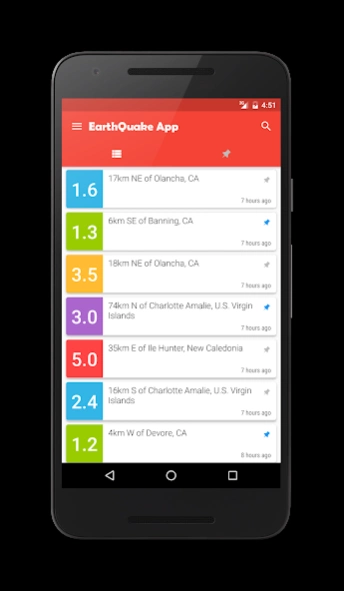
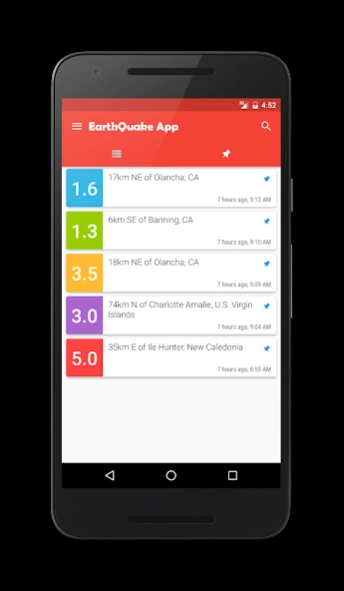
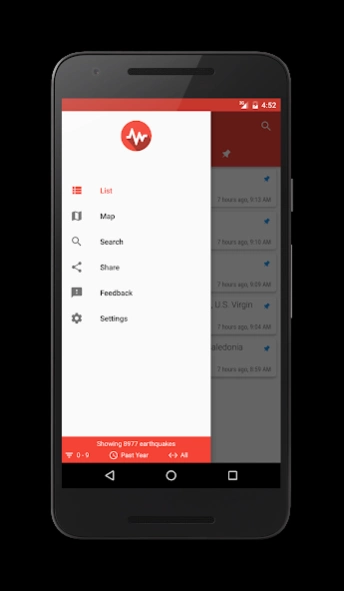
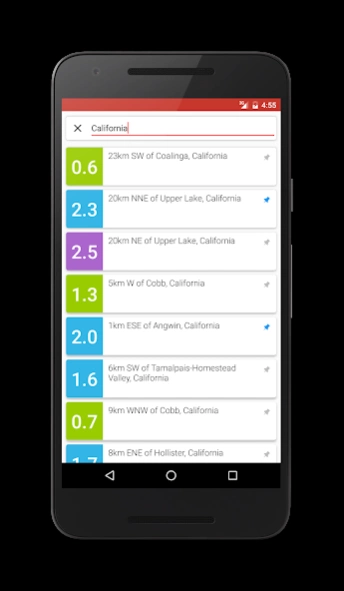
Track earthquakes of 0.1+ magnitude from U.S and of 4.5+ magnitude worldwide.
Earthquake app helps you track latest earthquakes from around the globe by showing earthquakes of 0.1+ magnitude from the United States and of 4.5+ magnitude worldwide.
This app uses data from USGS. http://www.usgs.gov/
What is USGS?
The United States Geological Survey (USGS) is a science organization of the United States government. USGS provides impartial information on our ecosystems and environment, natural hazards, natural resources, the impacts of climate and the core science systems.
Features:
- Latest quakes from worldwide.
- Shows details of an earthquake.
- Filter what you want to see via different filters.
- Shows earthquakes on Google map.
- Colour coded pins on map and list.
- Shows earthquakes from the past hour, day, week or even a month.
- Choose between different types of map.
- Share earthquake details to others.
- Shows the distance between you and the quake.
- (New) Earthquakes can be pinned.
- (New) Search for an earthquake.
What does colour coded mean?
It means that earthquakes of different magnitudes will be shown via different colour pins on the map and different background colours in the list.
4.5 <= M -- Red
3.5 <= M -- Yellow
2.5 <= M -- Purple
1.5 <= M -- Blue
1.5 > M -- Green
Note: Some quakes takes longer than usual to show up. I can't do anything about it as I don't own the database servers.
Active Development on this app has been suspended completely for now.
About EarthQuake App
The company that develops EarthQuake App is shahrukhamd. The latest version released by its developer is 2.0.
To install EarthQuake App on your Android device, just click the green Continue To App button above to start the installation process. The app is listed on our website since 2017-03-09 and was downloaded 0 times. We have already checked if the download link is safe, however for your own protection we recommend that you scan the downloaded app with your antivirus. Your antivirus may detect the EarthQuake App as malware as malware if the download link to com.shahrukhamd.earthquakeapp is broken.
How to install EarthQuake App on your Android device:
- Click on the Continue To App button on our website. This will redirect you to Google Play.
- Once the EarthQuake App is shown in the Google Play listing of your Android device, you can start its download and installation. Tap on the Install button located below the search bar and to the right of the app icon.
- A pop-up window with the permissions required by EarthQuake App will be shown. Click on Accept to continue the process.
- EarthQuake App will be downloaded onto your device, displaying a progress. Once the download completes, the installation will start and you'll get a notification after the installation is finished.
Program Details
System requirements
Download information
Pricing
Version History
version 2.0
posted on 2017-03-09
- Fixed some random crashes.
- Fixed "Network error".
Please uninstall the previous app if face any issue while updating.
version
posted on 2016-10-09
v1.9,- Now you can remove ads,- App size down by several megabytes,v1.8,- A critical bug fix,v1.7,- You can choose between km. and mi. for distance unit,- Bug fixes
version 1.6
posted on 2016-08-21
Biggest update yet!,- Earthquakes can be pinned,- Search for earthquakes,- Better markers display on map,- Better permission management,- Very flexible magnitude filter,- Better display time format,- Drawer and quick info at the bottom,- Performance improvement,- Updated UI,- Bug fixes
Disclaimer
Official Google Play Link
We do not host EarthQuake App on our servers. We did not scan it for viruses, adware, spyware or other type of malware. This app is hosted by Google and passed their terms and conditions to be listed there. We recommend caution when installing it.
The Google Play link for EarthQuake App is provided to you by apps112.com without any warranties, representations or guarantees of any kind, so access it at your own risk.
If you have questions regarding this particular app contact the publisher directly. For questions about the functionalities of apps112.com contact us.
